Imposition software for print shops
The sheet imposed, ready for the press.
ImpoMatrix takes the client’s PDF, works out the best use of the sheet and writes the production file. Duplex, die-cutting, variable data, preflight and hot folders — without leaving the program.
Download ImpoMatrixV0.30 · 126 MB · Mac with Apple Silicon
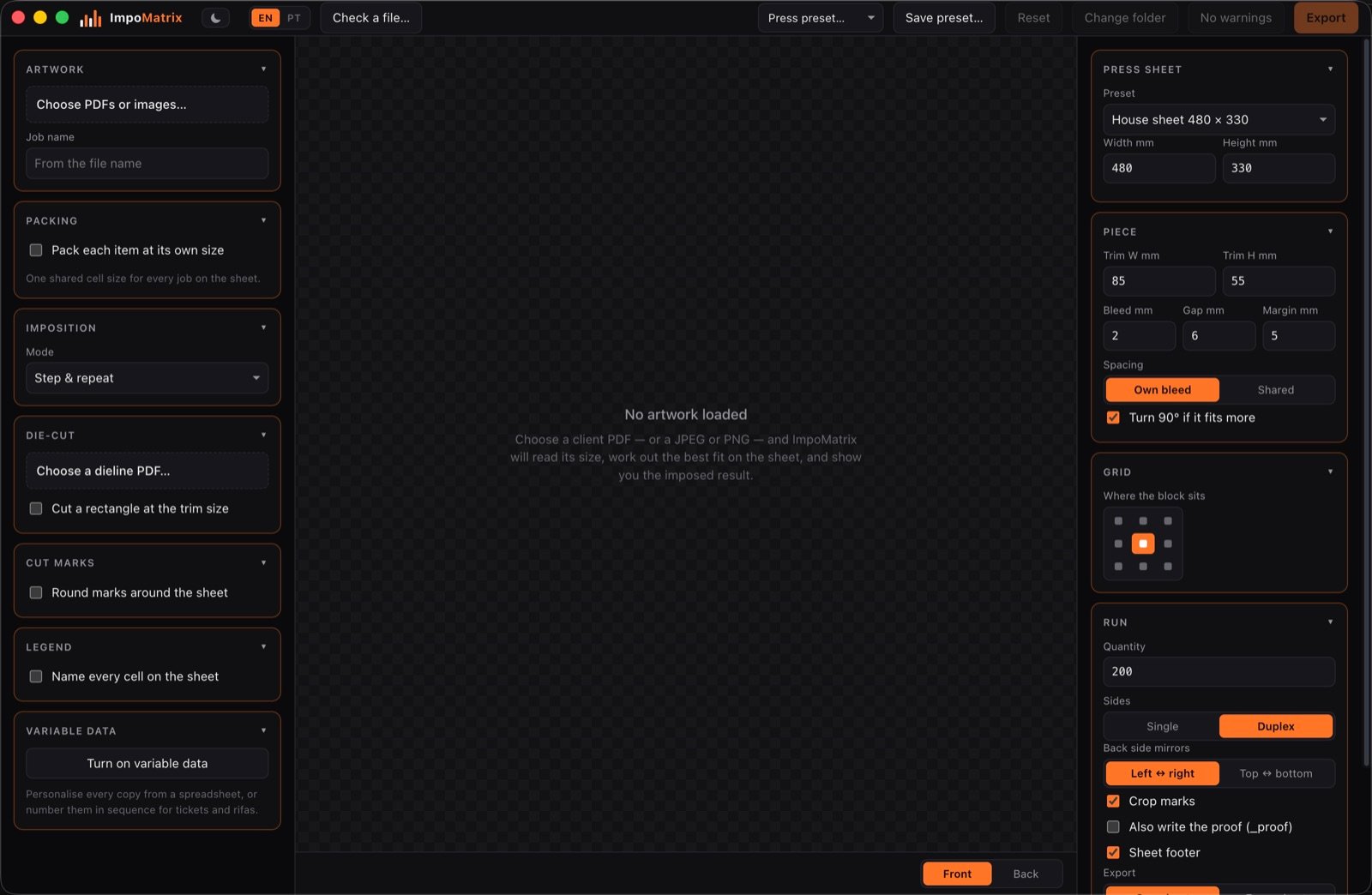
The whole job, in one program
Built in a print shop, for what a print shop does every day.
Imposition
Step and repeat on the sheet your press actually runs. ImpoMatrix reads the trim and the bleed from the PDF, works out how many pieces fit and centres the block. When the finishing says otherwise, set the columns and rows by hand.
Die-cutting and nesting
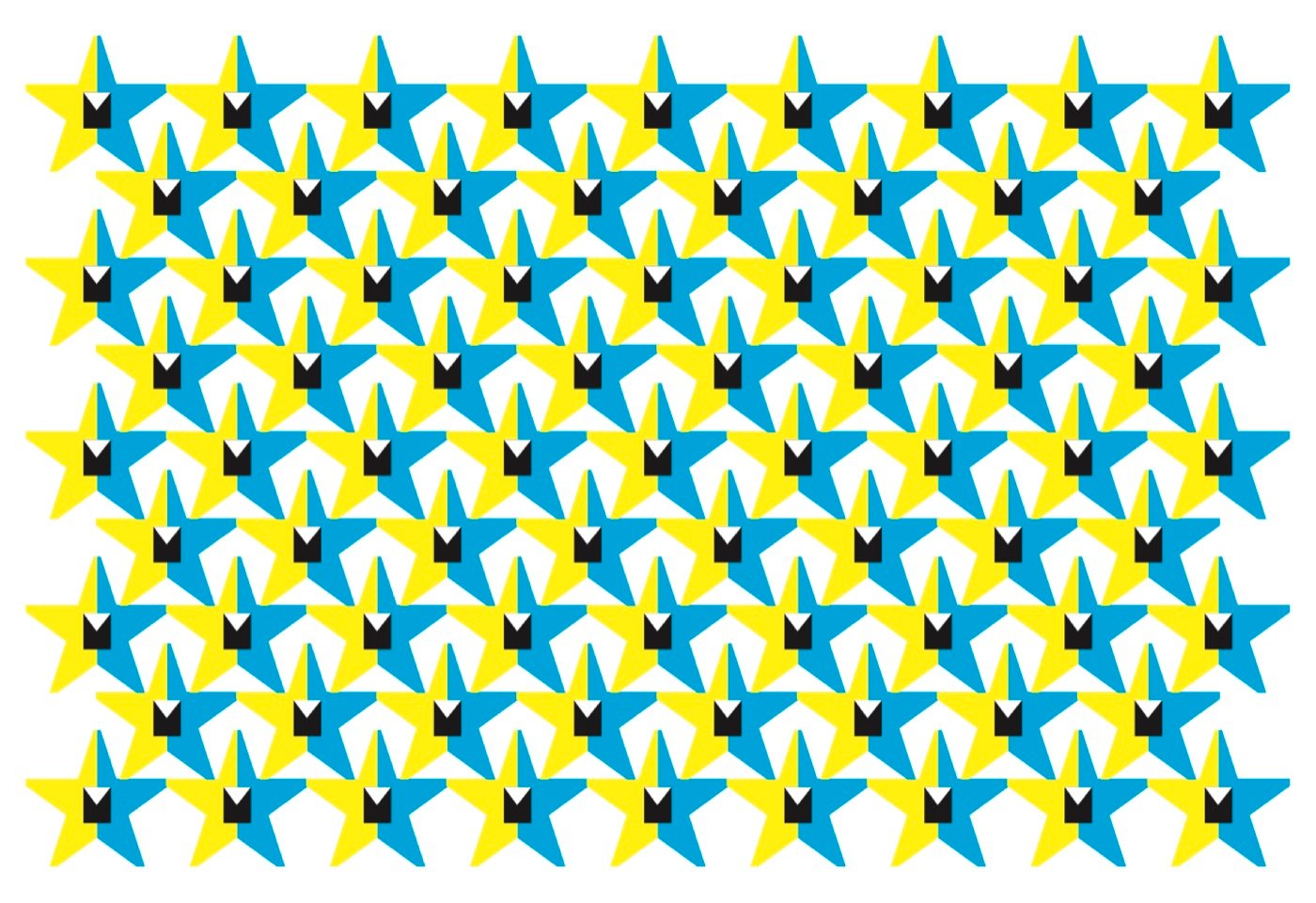
Load the dieline and the sheet follows the cut outline instead of the box around the piece. On a star that is 77 pieces to the sheet, against 54 on a grid.
Duplex
The back mirrors itself, and each piece is turned as it has to be for the client’s artwork to read the right way up. Flip on the long edge or the short one — the program works out the rest.
Variable data
Personalise every copy from a spreadsheet, or number them in sequence for tickets and raffles. QR, Code 128 and EAN-13 drawn as vector.
Ganging and booklets
Several clients on one sheet, with the cells shared out by what each of them ordered. Saddle-stitched or cut-and-stack booklets come out imposed in the right order.
Checking files
Opens the client’s PDF, says what is wrong with it — bleed, page boxes, crop marks, inks — and corrects it. The corrected copy is saved separately: the original is never touched.
Yield
77 pieces where 54 used to fit
On a grid every piece gets a cell the size of the box around it. For a star that throws away two thirds of the sheet. Switch nesting on and ImpoMatrix follows the cut outline instead, dropping the points of one row into the gaps of the next.
A nested sheet cannot be guillotined. It is for a die, a laser or a cutting table, and the program says so every time nesting is on.
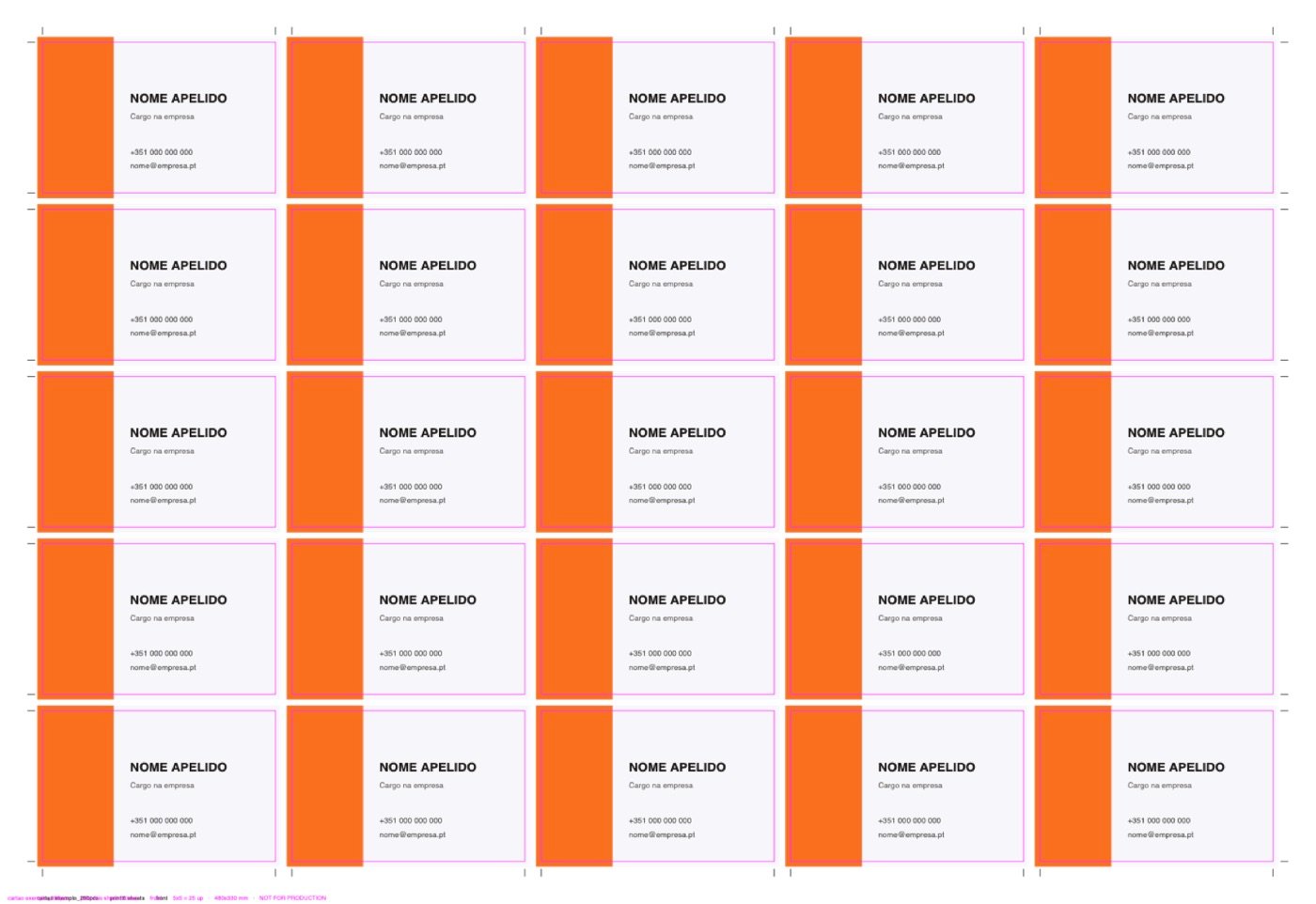
What the export writes
Choose the folder and ImpoMatrix writes the files into it, with the job name first.
- _print — for the press. This is the one you print.
- _proof — for checking. Carries trim guides and a line naming the job.
- _dieline — for the cutting table. Only appears when the job has a dieline.
Work that repeats
Hot folders
A folder that imposes what is dropped into it. For work that repeats: the same sheet, the same bleed, the same gap, job after job. Choose the press preset once, and from then on the folder is the recipe.
Name the file with the run length — 44433_200ex.pdf — and drop it in. The PDF is checked, imposed and written with nobody at the computer.
Folders are watched only while ImpoMatrix is open. Close it and nothing is imposed — and a file with no run length in its name is held back rather than printed at a guessed quantity.
the-folder/
├─ 44433_200ex.pdf     drop it here
│
├─ out/                the imposed sheets
├─ done/               the original, once imposed
└─ error/              whatever did not pass,
                       with a note saying why
The three subfolders are made by the program. Their names stay in English on purpose: they are on disk, and whoever drops the files may be a client or another shop.
Try it before you pay
Put one of your own jobs through it
Without a licence ImpoMatrix opens, imports the job and shows you the imposed sheet, with the yield and the run worked out. What it will not do is write files, and the preview carries NOT LICENSED across it so it cannot pass for a good one. There is no time limit: see what your own job would produce, and decide afterwards.
Download ImpoMatrixV0.30 · 126 MB · Mac with Apple Silicon
Shall we talk?
Licences are issued by hand, one per computer. Tell us which machines you work on and we will come back with the price and the key.